Handcent Next SMS messenger
- 4.4
- Rating
- 1.00M
- Installs
- Free
- Price

 Analysis by App-foxy
I usually notice the same thing with messaging apps: the first few minutes matter more than the feature list. If sending a text feels awkward, notifications arrive late, or the phone keeps opening a different messenger, even a capable app becomes frustrating. Handcent Next SMS is aimed at people who want more control over everyday texting than the standard application normally offers. It is a free communication app from Handcent, with optional in-app purchases ranging from $0.49 to $44.99 per item, and it supports Android devices running version 6.0 or later.
After spending time with it, I see it as a flexible replacement for ordinary SMS and MMS messaging rather than a completely separate social platform. Its appeal comes from customization, group conversations, stickers, private texting tools, and AI-related messaging features. The important question is not whether it has a long feature list; it is whether you are willing to spend a little time making it behave as your main messenger.
Where the first setup can become confusing
The most common difficulty with a replacement SMS app is not writing a message. It is getting the phone to treat the new app as the place where messages should be read and answered. When two messaging apps remain active, incoming texts may appear in one application while replies are sent from another. That can make Handcent Next SMS look unreliable even when the real issue is that the phone has not fully switched over.
You May Also Like

 Blood Strike: 2.5 Anniversary
Blood Strike’s Loadouts Turn Every Drop Into a Tactical Gamble
A close look at Blood Strike’s custom loadouts: how fast access to signature weapons reshapes its battle royale rhythm, rewards preparation, and narrows the gap between fights.

 Pandora - Music & Podcasts
Pandora’s Music Is Easy to Start, but Harder to Recover
Pandora’s strength is its low-effort path from a seed to a station. Its weak spot is how much confidence it asks you to place in connection, setup, and quiet recovery.

 8 Ball Pool
 Is Built on Rivalries, Rematches, and Routine
A close look at the rivalries, rematches, shared routines, and unanswered safety questions that turn a quick pool match into a persistent mobile community.

 Samsung Music
’s Quiet Strength Is Playing What You Already Own
Its reach comes less from spectacle than from dependable access to a personal library. That simplicity is both the app’s strongest retention engine and its ceiling.

 AccuWeather: Weather Radar
AccuWeather Review: A Quick, Clear Forecast for Everyday Decisions
For everyday plans, the best forecast is the one you can understand quickly. AccuWeather makes rain timing, radar, and local conditions easy to act on, with a few trade-offs.

 Hill Climb Racing
Why Hill Climb Racing Still Turns Crashes Into One More Run
A tiny car, a bumpy hill and one more upgrade: Hill Climb Racing keeps resurfacing because its simple chaos makes every near-miss feel personal.
More From Our News Desk



I recommend beginning with a simple test instead of importing every conversation or changing every visual option immediately. Open the app, check that your conversations are visible, and send a short message to someone who can reply. Then confirm where the reply appears. This small check tells you more than browsing through settings because it tests the complete path: composing, sending, receiving, and opening the notification.
Notification behavior deserves special attention. If a message arrives but there is no alert, I first check the app's notification controls and the phone's general notification settings. I also look at whether the conversation itself has been muted. A quiet thread can be useful for a busy group chat, but it is easy to forget that it has been silenced when an important reply seems to vanish.
Another point that catches people is the difference between SMS, MMS, and internet-based messaging. A normal text message and a picture or group message may follow different rules on the phone and mobile network. If a plain text works but a photo does not, I would not immediately blame the app. I would check mobile data, the carrier's messaging service, and whether the attachment is being handled as MMS.
Checks I would make before changing everything
My preferred setup order is deliberately boring. I let the app display its conversations, confirm the correct phone number or account context, test a one-to-one text, and only then try a group message or image. This isolates problems. If I change themes, privacy options, notification behavior, and group settings at the same time, I lose track of which change helped or caused trouble.
The phone's default-app setting is especially important. If the operating system still identifies another application as the default SMS messenger, Handcent Next SMS may not receive the same control over incoming messages. I would change that setting through the phone's own system menu rather than repeatedly tapping inside the app and hoping the choice sticks.
Older devices can also make the transition feel less smooth. This app supports Android 6.0 and later, but support for an operating system does not guarantee identical behavior across every phone manufacturer. Battery management, background restrictions, and custom notification panels can affect how quickly a message alert appears. If alerts are delayed, I check those system controls before reinstalling anything.
The best setup test is a real conversation, not a tour of the menus. Send one ordinary text, receive one reply, attach one image, and try one small group message. That sequence exposes most practical problems without creating a large amount of clutter.
Making customization useful instead of distracting
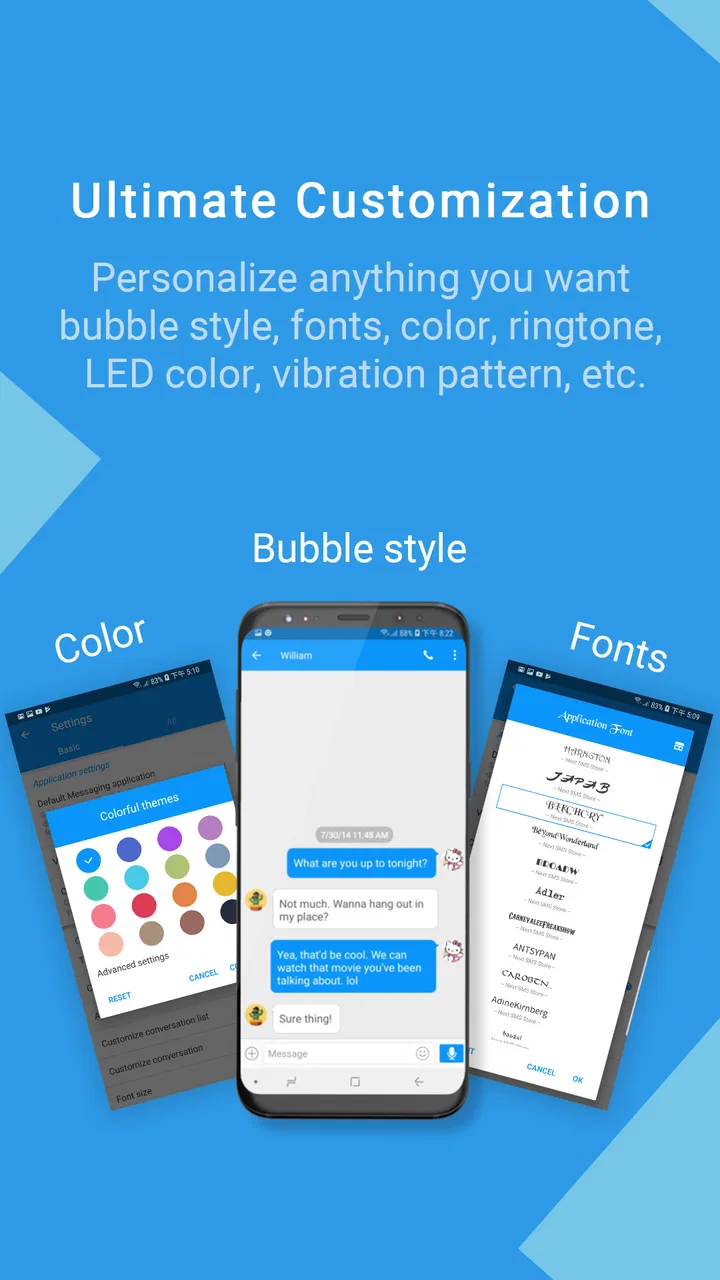
The customization is one of the reasons to choose this app, but I would avoid redesigning the entire interface on the first day. A dramatic theme can make text harder to scan, and an aggressive notification style can become tiring when several group conversations are active. I prefer to begin with readable text, clear conversation spacing, and notifications that show enough context without becoming intrusive.
Stickers can make casual conversations more expressive, but they are not a substitute for reliable delivery. I treat them as an optional layer after basic messaging works. The same applies to AI-related tools: they may be convenient when I need help shaping a quick reply, yet I still review the wording before sending it. A suggested response can sound too formal, too vague, or simply unlike me.
Private texting features also deserve a careful workflow. I would first understand how a private conversation is opened, recognized, and returned to later. The practical benefit is reduced visibility for selected conversations, but privacy tools are only helpful if I can reliably identify the protected thread and remember how to access it. I would not use any privacy feature as a replacement for the phone's lock screen or broader device security.
Recovering a workflow when messages seem missing
When a conversation appears to be absent, I start with the least destructive explanation. I check search, archived or hidden locations if I have used them, muted conversations, and whether I am looking at the correct message category. I avoid clearing app data as a first response because that can turn a display problem into a genuine loss of local information.
If the app has just been installed or updated, I give it a moment to finish presenting existing conversations before judging the result. I also close and reopen it once, then restart the phone if notifications remain stuck. These are ordinary steps, but they are safer than repeatedly changing settings that may affect every conversation.
A useful recovery habit is to compare the app with the phone's previous messaging application. If the same conversation is visible there but not in Handcent Next SMS, the problem may involve how the new app is reading or presenting the device's message store. If it is missing in both places, I look at the contact, phone number, network, and message history rather than assuming the interface caused it.
Group messaging can be particularly misleading. A group may appear quiet because one participant has not replied, because a message was sent as a different message type, or because the phone's mobile-data connection is unavailable for multimedia traffic. I test with a small, familiar group and a simple message before concluding that the group feature itself is broken.
For attachments, I use a step-by-step approach. First I send plain text. Next I try a small image. If the image fails, I check mobile data and the carrier connection. If text and images work but a particular file does not, the issue may be the file or message size rather than the conversation. This approach is more useful than repeatedly pressing send on the same failed attachment.
When a notification problem is really a phone problem
Android phones often manage background activity differently. Some pause apps aggressively to save battery, while others place notification controls in manufacturer-specific menus. If messages appear only after I open the app, I inspect battery-saving and background restrictions for Handcent Next SMS, then check whether the conversation or the whole app is muted.
I also check sound, vibration, Do Not Disturb, and notification priority. A message can arrive correctly and still look missing because the phone provides no visible alert. Testing with the screen on and off helps separate a delivery issue from a notification-display issue.
If another SMS application is still installed, I temporarily avoid opening it during testing. Constantly switching between two inboxes makes it difficult to know which app handled the latest message. Once the new workflow is stable, I can decide whether to keep the older app available or remove it to reduce confusion.
Using the app in an ordinary day
Imagine I am coordinating a family pickup. I send a quick text to one person, then receive a reply while I am busy. Later, I need to share a photo with the family group and keep a quieter private conversation separate from the noisy thread. This is where the app's combination of ordinary SMS, MMS, group messaging, stickers, and private texting can feel more practical than a bare default messenger.
The trade-off is that every extra option creates another place to check when something behaves differently. Before an important appointment, I would not experiment with a new theme, private conversation mode, or AI-assisted reply. I would use the setup that has already passed a real send-and-receive test. Reliability matters more than novelty when a message carries time-sensitive information.
For people who send many group messages, customization can make the inbox easier to organize and more personal than a very basic SMS tool. For someone who sends only occasional one-to-one texts, the additional controls may feel unnecessary. In that case, the phone's built-in messenger is often the better choice because it requires less learning and usually integrates more quietly with the operating system.
When Handcent Next SMS is not the cause
It is tempting to blame the messenger whenever a text is late, but SMS and MMS also depend on the mobile network and carrier configuration. If messages fail in more than one messaging app, I investigate signal strength, account status, mobile data for multimedia messages, and whether the recipient's number is correct. A replacement app cannot repair a carrier outage or a weak connection.
Contact formatting can create its own confusion. A conversation may split if the same person is saved in different formats, such as an international version of a number and a local version. When that happens, I compare the phone numbers rather than assuming the app has duplicated messages randomly.
Storage pressure is another practical factor. Phones with very little free space can behave unpredictably when saving attachments or updating applications. If images fail while plain texts work, I check available storage along with mobile data. That simple check often makes more sense than changing privacy or theme settings.
There is also a difference between privacy and secrecy. Private texting tools may help keep selected conversations less exposed in the normal interface, but I still use a strong device lock and remain cautious about message previews on the lock screen. I would not send sensitive information merely because a conversation has a private label.
AI assistance should be treated as an editing aid, not an automatic authority. I would never send a suggested message without reading it, particularly when it involves an apology, a work commitment, a location, or a personal detail. The convenience is real, but the responsibility for the final wording remains with me.
Who should choose it, and who should skip it?
I think this app suits Android users who want their SMS experience to feel more personal and who enjoy adjusting how conversations look and behave. It is also a reasonable option for people who regularly switch between individual texts, group messages, pictures, stickers, and more private conversations. The free entry point makes it easy to test without committing money immediately, although optional purchases may matter if you want more of its extras.
I would skip it if my priority is absolute simplicity. Someone who wants a messenger that mirrors the phone's default behavior with almost no setup may find Handcent Next SMS more involved than necessary. I would also hesitate if I rarely send texts and do not care about themes, stickers, privacy controls, or AI-assisted composition.
Compared with a standard Android SMS application, Handcent Next SMS offers a broader set of ways to shape the messaging experience. Compared with internet-first services, it remains more closely tied to traditional phone messaging, which is useful when contacts do not share the same chat platform. The compromise is that carrier behavior, MMS handling, and system settings remain part of the experience.
My practical verdict after working through the friction
Handcent Next SMS is a capable communication app for people who see texting as something they want to configure rather than simply tolerate. Handcent has built it around the everyday SMS workflow, then added customization, group tools, stickers, private texting, and AI-oriented assistance. That combination gives it more personality than a plain inbox, but it also means the first setup deserves patience.
Its current store presence reflects a well-established option: it has an average rating of 4.4 from around 77 thousand ratings, with over 1 million installs. It is rated for Everyone, and its long availability since June 24, 2015 helps explain why it feels like a mature alternative rather than a brand-new experiment.
My recommendation is conditional but positive. Install it if you want more control over how SMS and MMS conversations look, how groups are handled, and how selected chats are separated. After installation, make the app the default messenger, run a small real-world test, and check notification and battery settings before customizing everything. If you follow that order, most of the initial friction becomes manageable.
For me, the deciding point is simple: choose it for control, not merely for sending a text. If the default messenger already does everything you need, changing apps may add work without adding much value. If you regularly feel limited by the stock experience, Handcent Next SMS gives you a practical middle ground between a minimal SMS inbox and a feature-heavy internet chat service.
FAQs for Handcent Next SMS messenger
01What is Handcent Next SMS Messenger, and what features does it offer?
Handcent Next SMS Messenger is an alternative texting app for Android that replaces the default SMS and MMS application. After exploring its interface, the main highlights include customizable conversations, group messaging, multimedia sharing, scheduled messages, message backup options, privacy tools, themes, and support for emojis and stickers. Its large selection of settings makes it suitable for users who want more control over how their messages look and work.
02Does Handcent Next SMS Messenger support SMS, MMS, and group conversations?
Yes, Handcent Next SMS Messenger is designed to handle traditional SMS and MMS messages, including individual chats, group conversations, pictures, videos, audio files, and other supported attachments. The exact experience can depend on your mobile carrier, device permissions, and network connection. Users should also confirm that the app is configured as the default messaging application if they want it to manage incoming and outgoing texts consistently.
03Is Handcent Next SMS Messenger free to download and use?
Handcent Next SMS Messenger can generally be downloaded and used without an upfront purchase, but some features may be limited by advertisements, optional upgrades, subscriptions, or in-app purchases, depending on the current version and region. Before using premium tools, review the purchase screen carefully. Standard carrier charges may also apply to SMS and MMS messages, since those costs are controlled by your mobile provider rather than the application.
04Does Handcent Next SMS Messenger protect my private messages?
The app includes privacy-oriented features intended to give users additional control over selected conversations, notifications, and message visibility. However, these tools should not automatically be treated as end-to-end encryption or a guarantee that messages are completely private. SMS and MMS are handled through mobile networks and may have inherent security limitations. Check the app’s current privacy policy, permissions, backup settings, and lock options before storing sensitive conversations.
05What should I check before installing Handcent Next SMS Messenger?
Before installing Handcent Next SMS Messenger, check whether your Android version is supported, whether the application is available in your country, and whether it requests permissions you are comfortable granting. You should also back up important messages before switching from another texting app and verify that Handcent is selected as the default SMS application when required. Finally, review notification, battery, cloud backup, advertising, and subscription settings to avoid unexpected behavior or charges.
Pros
- Highly customizable themes
- fonts
- bubbles
- and notification styles.
- Supports scheduled messages and automatic replies for added convenience.
- Offers private inbox features to help hide selected conversations.
- Includes backup and restore options for messages and settings.
- Works with group conversations and provides useful contact management tools.
Cons
- Many advanced features require a premium subscription or in-app purchases.
- The interface can feel crowded because of its extensive customization options.
- Some users may experience occasional delays with message notifications.
- Cloud backup and privacy features may require creating an account.
- Ads can appear in the free version and affect the overall experience.

Handcent Next SMS messenger
Gallery